Everything a busy practice needs. Nothing it doesn’t.
MessageGallery does one job — instant intra-office communication — and does it with obsessive simplicity.
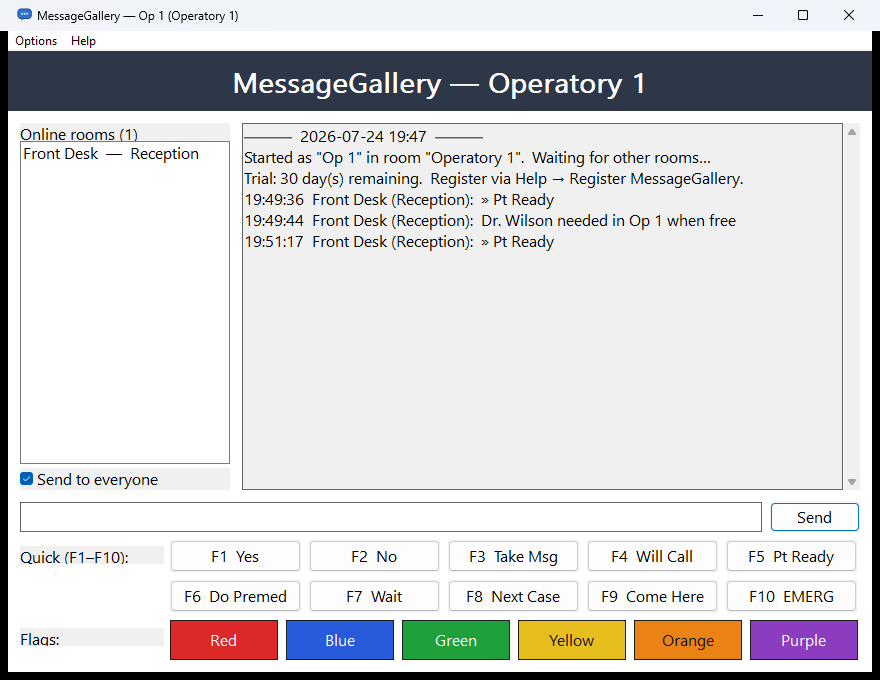
Rooms that find each other
Start the app and it announces itself on your office network. Every other workstation appears in the Online rooms list within seconds — and quietly disappears when switched off. There is no server to break, no pairing, no configuration beyond naming the room.
Working across a VPN or a second subnet? Add seed_peers in the settings file and remote rooms join in too.
Quick messages on F1–F10
The phrases your team says fifty times a day are one keystroke away: Yes · No · Take Msg · Will Call · Pt Ready · Do Premed · Wait · Next Case · Come Here · EMERG.
All ten are editable in the settings file, so each practice — even each workstation — can carry its own vocabulary. Type freely whenever you need more than a preset.
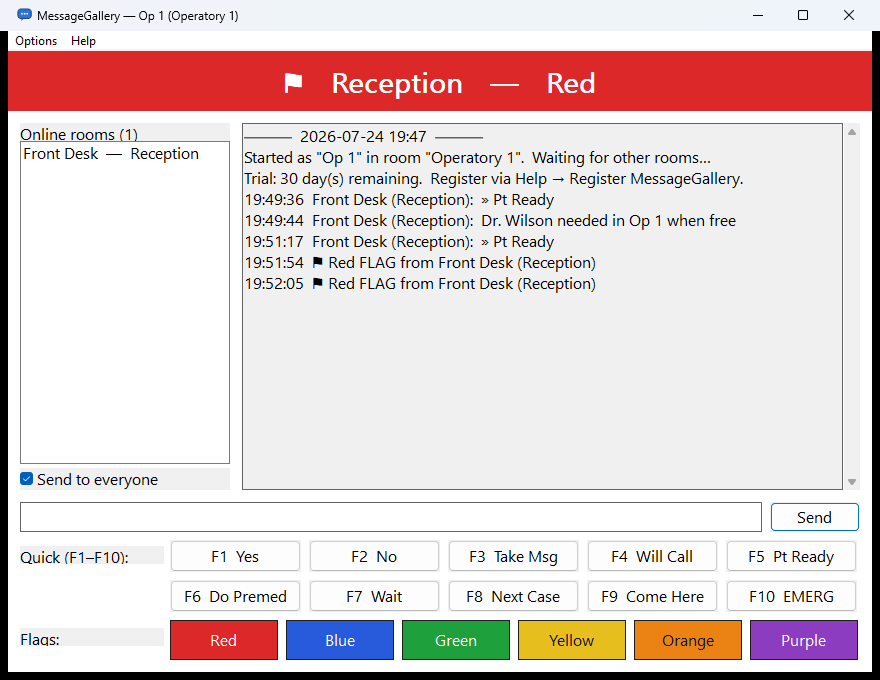
Six-color flag alerts
A flag isn’t a message — it’s a state. The recipient’s window grows a full-width colored banner, the tray icon flashes, and a tone plays. It stays until acknowledged, so a glance from across the room tells the story.
Practices use them their own way: red = doctor needed, blue = x-ray ready, green = room clean, yellow = running late, orange = lab call, purple = private word.
Confirmed delivery, kept history
Each message shows a per-recipient delivery count — ✓ delivered (2/2) means both target rooms’ workstations confirmed receipt. No wondering whether the front desk saw it.
The last 1,000 lines are kept locally on each workstation, so “what did we say about the 2 o’clock?” has an answer. History never leaves the building.

Polite by design
MessageGallery lives in the system tray and stays out of the way. Incoming messages flash the tray and play a customizable tone (or silence, per room). It can start automatically with Windows, sits comfortably on any Windows 10 or 11 PC, and the whole program is smaller than a single photograph.